




































Dexter Washer Maintenance Guide
How to Remove and Clean a Dexter Washer Coin Drop
Learn how to remove and clean a Dexter washer coin drop, what to inspect while the coin acceptor is removed, and how dirt, lint, or a faulty coin switch can cause coin-counting problems.
If your Dexter commercial washer is not recognizing coins, is counting the wrong number of coins, or responds inconsistently when coins are inserted, the coin drop or coin acceptor may need inspection and cleaning.
Dust, lint, dirt, and other debris can accumulate in the coin path and interfere with normal coin operation. A problem with the coin switch or another control component can also produce similar symptoms.
Cleaning the coin drop is therefore a useful maintenance and troubleshooting step before assuming that the complete coin acceptor needs replacement.
Disconnect electrical power before opening or servicing the washer. Internal areas of commercial laundry equipment may contain hazardous electrical components. Follow the applicable Dexter service information for your specific washer model and have internal service performed by qualified personnel.
Video Demonstration
Watch the video below for a visual demonstration of Dexter coin drop removal and cleaning.
The embedded video is provided through YouTube as a general visual reference and remains subject to the rights of its respective owner. The written guide on this page was independently prepared by 123 Laundry Solutions for educational and informational purposes.
Dexter coin-drop and coin-acceptor configurations can vary by washer model, series, age, and payment configuration. The machine shown in a service video may therefore differ from your washer. Always use the applicable manufacturer service information for your specific model and serial number.
What Does the Coin Drop Do on a Dexter Washer?
On a coin-operated Dexter washer, the coin drop or coin acceptor helps identify accepted coins and communicate the corresponding credit to the washer's control system.
Depending on the machine and payment configuration, the system may include components such as:
When dirt or debris interferes with the coin path or sensing components, the washer may not consistently register the coins inserted by the customer.
Signs Your Dexter Washer Coin Drop May Need Cleaning
A coin drop or related payment component may need attention when you notice symptoms such as:
- Coins are inserted but the washer does not add credit
- The washer counts the wrong number of coins
- Coins do not move smoothly through the coin path
- Coin recognition works intermittently
- The customer must insert a coin more than once
- Visible dirt or debris is present in the coin path
- The coin mechanism frequently jams or sticks
- Credit problems continue with otherwise valid coins
Cleaning is an important troubleshooting step, but a defective coin switch, damaged coin acceptor, wiring problem, incorrect control condition, or another component can produce similar symptoms.
Why Do Dexter Washer Coin Drops Need Cleaning?
Commercial laundry equipment operates in an environment where lint, dust, detergent residue, dirt, and contaminants can gradually collect around exposed components.
Lint and Dust
Airborne lint and dust can collect inside and around the coin mechanism and sensing areas.
Dirty Coins
Coins repeatedly passing through the mechanism can introduce dirt and residue into the coin path.
Heavy Commercial Use
A busy laundromat may send hundreds of coins through a payment mechanism over time, increasing the need for routine inspection.
Environmental Contaminants
Dust and other airborne contaminants can affect mechanical and optical components over extended periods of operation.
Before Removing the Dexter Washer Coin Drop
Before opening the washer or removing the coin acceptor, take appropriate safety precautions and confirm that the machine is no longer in operation.
- Disconnect electrical power to the washer
- Make sure the machine has completely stopped
- Follow applicable lockout/tagout procedures
- Confirm the washer model and serial number
- Inspect the coin entry for obvious foreign material
- Use the applicable Dexter service information for the machine
Accessing the coin mechanism may require opening areas of the washer that contain electrical components. Disconnect power before service and replace all panels properly before returning the washer to operation.
How to Remove and Clean a Dexter Washer Coin Drop
The exact coin-acceptor configuration can vary between Dexter washer models and payment systems. The following overview explains the general cleaning process used on applicable Dexter coin-operated washers.
Disconnect Power to the Washer
Shut off and disconnect electrical power before opening the washer or working around the coin acceptor.
Verify that the washer is completely stopped before beginning service.
Access the Coin Acceptor
On applicable Dexter washers, access to the coin acceptor may require removal of the top panel.
Once the appropriate panel is removed, locate the coin acceptor and its mounting points.
Remove the Coin Acceptor
Carefully release the coin acceptor according to the applicable Dexter service procedure.
On configurations using retaining hardware around the control panel, the mounting screws may only need to be loosened enough to release the acceptor and retainers rather than being completely removed.
Keep track of the position of retainers, wiring, and mounting hardware so the mechanism can be correctly reinstalled.
Open the Coin Path for Cleaning
On applicable coin acceptors, remove the slide or access piece from the top of the acceptor to expose the coin chute.
Inspect the coin path for lint, dirt, residue, or foreign material that could interfere with the movement or detection of coins.
Clean the Coin Chute and Acceptor
Remove accumulated lint and debris from the accessible coin chute and coin-path surfaces using the cleaning method appropriate for the installed acceptor.
The objective is to leave the coin path free of contamination that could prevent a coin from traveling normally through the mechanism.
Some Dexter documentation describes cleaning a removable coin chute with water and a cloth, while electronic coin selectors may use different cleaning methods. Follow the instructions applicable to the specific coin acceptor installed in your washer rather than applying one cleaning method to every payment device.
Clean the Optical Sensor if Equipped
If the coin acceptor uses an optical sensing system, inspect the optical sensing area for dust or contamination.
Clean the optical area using the method specified for that acceptor. Avoid damaging, scratching, or unnecessarily disturbing the sensor.
Inspect the Coin Switch
While the mechanism is accessible, inspect the coin switch and related wiring for visible damage, loose connections, or abnormal operation.
On applicable mechanisms, the switch should activate when a valid coin passes through the coin drop. A switch that does not activate normally may require further diagnosis or replacement.
Reinstall the Coin Acceptor
After cleaning and inspection, reinstall the coin acceptor, retainers, wiring, and mounting hardware in their proper positions.
Make sure the mechanism is secure and that no wires or components are pinched or incorrectly positioned.
Reassemble and Test the Washer
Replace all panels and guards before reconnecting electrical power.
Qualified personnel can then test the washer with the correct coins to confirm that:
- Coins travel through the mechanism normally
- Each accepted coin registers correctly
- The correct amount of credit is added
- The coin mechanism does not stick or jam
- The washer responds normally after sufficient credit is entered
If the washer still fails to recognize or correctly count coins, further diagnosis may be necessary.
What Should You Inspect While the Coin Drop Is Removed?
Cleaning provides a good opportunity to inspect the surrounding payment components before the washer is reassembled.
Look for contamination, damaged parts, loose connections, abnormal wear, or anything that could prevent a coin from moving through the mechanism or being detected correctly.
Cleaning or Replacement: Which Does Your Coin Drop Need?
A washer that fails to recognize coins does not automatically need a new coin acceptor.
Cleaning may correct the problem when lint, dirt, or debris is interfering with the normal movement or sensing of coins and the mechanism is otherwise in good condition.
Replacement may be necessary when inspection identifies a damaged or defective coin switch, worn or damaged acceptor component, failed sensing component, or another component that cannot be corrected through normal cleaning.
If cleaning does not restore normal coin recognition, inspect the coin switch, wiring, payment mechanism, and related controls before assuming that the complete coin acceptor has failed.
What If the Dexter Washer Still Does Not Count Coins?
If the coin drop is clean but the washer still does not recognize coins correctly, the problem may be elsewhere in the payment or control system.
Depending on the washer and symptoms, additional diagnosis may involve:
- Testing the coin switch
- Inspecting coin-switch wiring and connectors
- Checking the installed coin acceptor for damage
- Confirming that accepted coins are activating the mechanism
- Checking the washer's control and payment configuration
- Inspecting related control components
Dexter troubleshooting information identifies a dirty coin-drop mechanism or defective coin switch as possible causes of coin-counting problems, but control-related problems can also produce similar symptoms.
Dexter Coin Drop Preventive Maintenance Tips
Routine inspection and cleaning can help reduce payment problems and unexpected downtime in coin-operated commercial washers.
- Keep the coin entry area clean
- Watch for coins that begin sticking or moving slowly
- Investigate intermittent coin-counting problems early
- Remove accumulated lint and dust from applicable coin mechanisms
- Inspect coin-switch wiring during scheduled maintenance
- Keep liquids and cleaning chemicals away from sensitive electronic components
- Replace damaged payment components rather than repeatedly forcing or readjusting them
Maintenance intervals depend on the washer model, coin acceptor, usage level, and operating environment. Some Dexter preventive maintenance information calls for monthly removal of dust and lint from applicable optical coin acceptors using clean, dry compressed air.
Need Dexter Washer Coin Drop Parts?
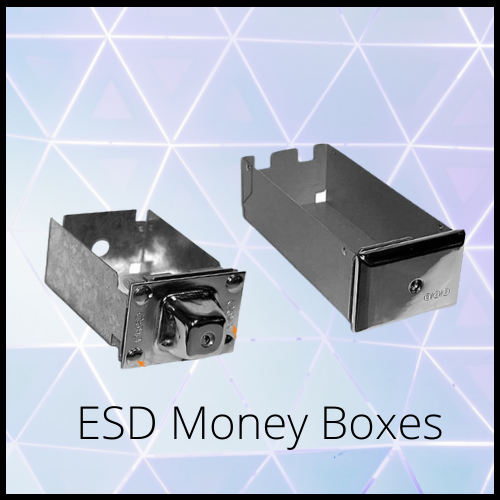
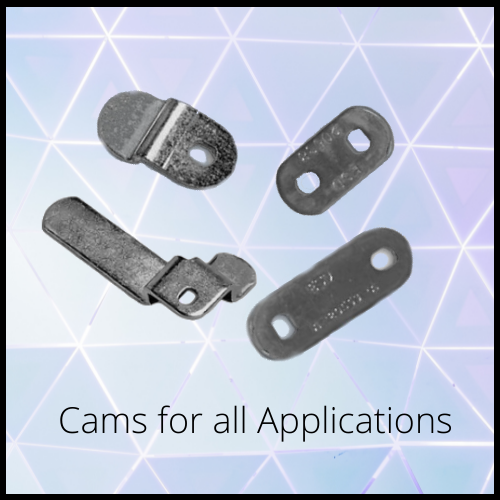
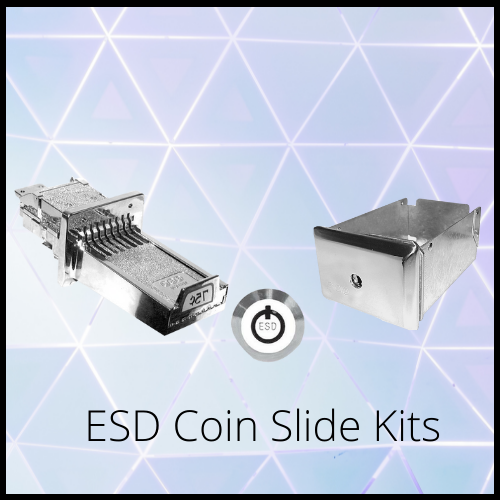
123 Laundry Solutions supplies OEM and replacement parts for many Dexter commercial washers.
Depending on the washer and payment configuration, available components may include:
Not sure which component fits your Dexter washer? Have your model and serial number ready so our team can help verify compatibility before you order.
Frequently Asked Questions
Why is my Dexter washer not counting coins?
Possible causes include a dirty coin-drop mechanism, a defective coin switch, a problem with the coin acceptor, wiring or connection problems, or a related washer-control issue. Cleaning and inspecting the coin mechanism is a useful first step in diagnosing the problem.
Can a dirty coin drop cause a Dexter washer to stop accepting coins?
Yes. Dirt, lint, and debris in the coin path or sensing area can interfere with normal coin movement or recognition. Cleaning the mechanism may restore normal operation if contamination is the cause.
How do you clean a Dexter washer coin drop?
On applicable Dexter coin mechanisms, power is disconnected before the coin acceptor is accessed and removed. The accessible coin path is then cleaned of lint and debris, and optical sensing areas are cleaned where applicable. The correct procedure depends on the coin acceptor and washer model.
How often should a Dexter washer coin acceptor be cleaned?
Maintenance frequency depends on the coin acceptor, machine usage, and operating environment. Some Dexter preventive maintenance schedules specify monthly removal of dust and lint from applicable optical coin acceptors. Always follow the maintenance information for your specific washer and payment mechanism.
Should I replace the coin drop if cleaning does not fix the problem?
Not automatically. If cleaning does not correct the problem, the coin switch, acceptor, wiring, connections, and related washer controls should be diagnosed before replacing the complete mechanism.
How do I know whether the coin drop needs cleaning or replacement?
Cleaning may be appropriate when the mechanism is physically intact but contains lint, dirt, or debris. Replacement may be necessary when inspection identifies a damaged or defective switch, sensor, acceptor component, or other part that cannot be restored through normal cleaning.
Can I clean a Dexter washer coin drop myself?
Basic external cleaning may be straightforward, but removing the coin acceptor can require opening the washer near electrical components. Power should be disconnected before internal service, and Dexter recommends that service and troubleshooting be performed by qualified service personnel.
Need Help Finding the Right Dexter Washer Part?
If cleaning or inspection identifies a worn or damaged coin-drop component, 123 Laundry Solutions can help you find compatible OEM and replacement parts for your Dexter commercial washer.
Have your Dexter washer model and serial number ready so our team can help verify compatibility before you order.
Call (888) 205-0884 for assistance.